Showing posts with label laptop. Show all posts

Wednesday, May 22, 2013

HP Premier Experience Laptop Driver shahbaz Sharif


P Premier Experience Laptop Driver Shahbaz Sharif
Basic Specifications of HP 1000
Processor:           Intel Core i3 2370M ( 2.4 GHz, 3MB L3 Cache)
Chipset:               Intel HM75 Express Chipset
Graphics:             Intel HD Graphics 3000
Display Panel:    14 inch LED Backlit Display (1366×768)
RAM:                     2GB DDR3
Hard Disk:            500 GB 5400 RPM
Optical Drive:     Super Multi DVD Burner
Battery:                6 Cell Lithium-Ion Battery (47 WHr, 2.2 AH)
Carrying Bag:      HP Backpack


DOWNLOAD

Graphics Driver 

SP56671Graphics Driver window7
(Zip File)

 Network (LAN) Driver  
SP56680 Realtek Local Area Network (LAN) Driver window7
 (Zip File) 

Chipset 64 bit Driver 
SP56670 chipset 64 bit Driver window 7 
 (Zip File) 

 Card Reader Driver 
SP56678Realtek Card Reader Driver window 7 
 (Zip File) 

TouchPad Driver  
SP56681TouchPad Driver window7 
(Rar File) 

Wireless LAN Adapter Driver 
SP57538 Wireless LAN Adapter Driver window7
(Zip File) 


Broadcom Wireless LAN Driver 
SP57965 Broadcom Wireless LAN Driver for Microsoft Windows 7 
(Rar File)

 HP UEFI Support Environment VERSION Driver
 sp57924 HP UEFI Support Environment VERSION
(Zip File) 
Cam Driver & Software
sp58600 Cyberlink YouCam Software VERSION


Broadcom Bluetooth 4.0 Driver and Software

SP56715 Compatibility Window 7 (32Bit)(64Bit)


Driversnum.blogspot.com

HP 1000 Shahbaz Sharif HP Laptop Driver Download


HP 1000 Shahbaz Sharif HP Laptop Driver Download
Basic Specifications of HP 1000
Processor:           Intel Core i3 2370M ( 2.4 GHz, 3MB L3 Cache)
Chipset:               Intel HM75 Express Chipset
Graphics:             Intel HD Graphics 3000
Display Panel:    14 inch LED Backlit Display (1366×768)
RAM:                     2GB DDR3
Hard Disk:            500 GB 5400 RPM
Optical Drive:     Super Multi DVD Burner
Battery:                6 Cell Lithium-Ion Battery (47 WHr, 2.2 AH)

Carrying Bag:      HP Backpack

DOWNLOAD

Realtek High-Definition (HD) Audio Driver

sp56679Compatibility: Windows 7 (32-bit)(64-bit 
Graphics Driver 

SP56671Graphics Driver window7  32bit
(Zip File) 

OTHER LINK
HERE 32 bit
HERE  64 bit
 

 Network (LAN) Driver  
SP56680 Realtek Local Area Network (LAN) Driver window7
 (Zip File) 

Chipset 64 bit Driver 
SP56670 chipset 64 bit Driver window 7 

 (Zip File) 

 Card Reader Driver 
SP56678Realtek Card Reader Driver window 7 
 (Zip File) 

TouchPad Driver  
SP56681TouchPad Driver window7 
(Rar File) 

Wireless LAN Adapter Driver 
SP57538 Wireless LAN Adapter Driver window7
(Zip File) 


Broadcom Wireless LAN Driver 
SP57965 Broadcom Wireless LAN Driver for Microsoft Windows 7 
(Rar File)

 HP UEFI Support Environment VERSION Driver
 sp57924 HP UEFI Support Environment VERSION
(Zip File) 

Cam Driver & Software
sp58600 Cyberlink YouCam Software VERSION


Broadcom Bluetooth 4.0 Driver and Software

SP56715 Compatibility Window 7 (32Bit)(64Bit)


Driversnum.blogspot.com


Monday, May 20, 2013

Toshiba Satellite P755 S5270 Great Multitasking Laptop


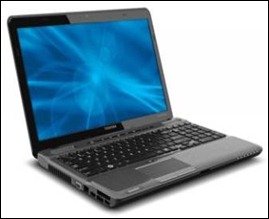
toshiba-p755-s5270-s5274-main-smToshiba Satellite P755-S5270 15.6-Inch LED Laptop (Black) is one of the Toshiba newest laptop. The Satellite P775 series bring you above average performance and distinctive entertainment features. It is sleek, stylish, and ready for its close-up. Definitely, you can do a lot of things easier with the Toshiba Satellite P755-S5270.
This full-featured PC brings you the power of the 2nd-Generation Intel Core i5 processor. Compact yet loaded with entertainment focused features, its great for multitasking, mastering everyday challenges and tearing through visually intensive apps. It comes with a broad 15.6" diagonal HD TruBrite LED backlit display for brilliant movies and gaming, plus Harman/ Kardon speakers that tuned with sound enhancement technologies from Dolby and Waves Audio for rich luxurious sound.
Toshiba Satellite P755-S5270 has latest fast components like an USB 3.0 port. You do understand that it will speed up the way you share your files and media in a quick and easy way. The Intel Wireless Display technology makes for easy content sharing between your laptop and TV. Whats more? It features a distinctive dual-tone textured Fusion X2 Finish thatll stop you in your tracks, and keep fingerprints and scratches at bay.
Toshiba Satellite P755-S5270 is really the right option for entertainment lovers, gamers, heavy multitaskers and power users. This powerful entertainment laptop does offer something for everyone. And with the style, versatility and value thats one step ahead of the competition you would never resist, isn’t it? read real user reviews here…
Toshiba Satellite P755-S5270 quick specification:
read the full specification here…
Dimensions: 1.40" h x 15.00" w x 9.80" l, 5.80 pounds
CPU: Intel Core i5 2.3 Hz
Memory: 6GB SODIMM (max 8GB)
Hard Disk: 750GB
Processors: 2
Battery type: Lithium Ion
Display size: 15.6 (1366 x 768 native resolution (HD))
Genuine Windows 7 Home Premium 64-bit
6 cell/48Wh Lithium Ion battery pack (5 hours, 42 minutes battery life)
Buy Toshiba Satellite P755-S5270 on Amazon.com now!

New Sony Vaio with Share My Connection Lets Your Laptop Into a Wi Fi Hotspot


Sony Vaio Y and Z series
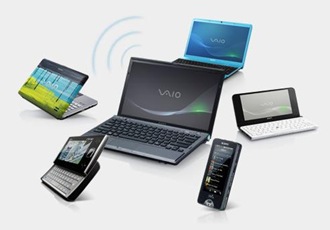
This is really a great offer: to have a laptop with the ability to share your internet connection with up to five other enabled PCs or devices without having to spend extra money to buy a Wi-Fi Access Point. It is all can be done with your laptop. Isn’t that great?

Sony has just launched its newest notebook series, the Sony Vaio Y and Z notebook series. This two new notebook series is completed with Share My Connection™ technology. It enables your Vaio to be a Wi-Fi access point. No doubt that this feature is really a great wireless solution for small businesses, families, and students.

The only problem that can arise is that it is only applicable if you are using the Verizon Wireless Mobile Broadband service. It requires activation. So, if you live in countries where Verizon Wireless Mobile Broadband is not exist, all you can do is wait for Sony to sign an agreement with your local Mobile Broadband services to let you have it. Any other possibilities?

Sony Vaio Y series Specification

Sony Vaio Z series Specification

Share this post :
Technorati Tags: Sony,Vaio,Notebook,Wi-Fi,Hotspot,Access Point

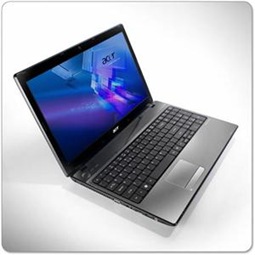
Buy Acer AS5742 6475 15 6 Inch Laptop


Buy Acer AS5742-6475
click image to get the best price today!

Buy Acer AS5742-6475 15.6-Inch Laptop

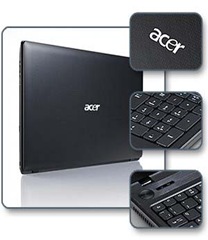
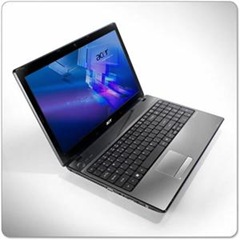
Acer Aspire 5742-6475 is one of the newest Acer’s laptop. This laptop is maybe more than what can be expected from under $500 laptop. It offers you high performance, the latest technology standards, great connectivity and multimedia features. You can feel a quick response laptop experience.
Start with a beautiful 15.6-inch widescreen display, integrated 1.3 Mpx webcam and high definition intelligent performance of the Intel Core i3, the comfort of cool new Microsoft Office 2010 starter. You are now fully able to feel a great power laptop to enable you working on your job and enjoying your media from anywhere.
You are also able to create new digital media and playing 3D games on it. But don’t know about the leaked Crysis 2. You’d better test it soon. The Intel Core i3 works with more power for multitasking.
This Acer AS5742-6475 has rounded edges and smooth lines that slenderized the look of black eyelids. The lid prevents scratches and fingerprints. Need to type a lot? The full-size keyboard with separate numeric keypad makes typing as a pleasure.
This Acer’s laptop is also equipped with Acer’s Multi-Gesture TouchPad. You can pinch, swipe your finger, and turn the touch pad for easy navigation of Web pages, photos, and more demanding. Personally, I am greatly appraise this feature compared to other’s. read more Acer AS5742-6475 reviews here...

Acer AS5742 – 6475 quick specification:
read full specification here...
  • 15.6-inch HD widescreen CineCrystal LED-backlit display
  • 2.53 GHz Intel Core i3-380M dual-core processor
  • 500 GB SATA hard drive (5400 RPM)
  • 4 GB of installed DDR3 RAM (1066 MHz)
  • Wireless-N Wi-Fi (802.11b/g/n)
  • Windows 7 Home Premium (64-bit)
  • 6-cell battery (4400 mAh)
  • Weight: 5.74 pounds
Get  Acer AS5742 – 6475 best price and get free shipping today!

      Acer Aspire AS5251 Best Buy Laptop for Everyday Multitasking


      Acer Aspire AS5251 will give you what you need for $379. What do you expect from under $500 laptops? Acer Aspire AS5251 is really a great laptop computer seen from the comparison of its price and features. AS5251-1805 offers you the powerful AMD V Series, the latest connectivity technology and rich media features for your daily computing needs.

      Acer Aspire AS5251 Best Buy Laptop Let’s see what you will get from this best buy laptop. It has the gorgeous 15.6-inch widescreen LED-backlit display with integrated HD webcam, full-size keyboard with dedicated numeric keypad that enables you to do your work at the most efficient way without hurting your fingers like your small sized netbook’s keyboard. With this 15.6 inch screen, you can fully enjoy todays best high-definition movies and stay productive on the cinematic 15.6-inch HD widescreen display with true 16:9 aspect ratio.
      Two things stand out from Acer Aspire AS5251 are its keyboard and the screen quality. The layout of the keyboard is similar to that of a much more expensive laptop, with a full numerical pad on the right. You’ll have to a bit getting used to its touchpad, for it is positioned to the left. The feel of the keys is good for you to enjoy working on your report.
      It showcases a well-build body made up of tough plastic with a contoured dotted touch which makes it non-glossy and fingerprint resistant – problems we can’t avoid with those glossy laptop covers. Nothing on this best buy laptop feels cheap, and it is just what you would expect from a mid-range laptop.
      Acer Aspire AS5251-1805 Specification and Features
      • 15.6-inch CineCrystal LED-backlit widescreen display
      • 2.20 GHz AMD V Series V120 processor (512 KB L2 cache and 1066 MHz front-side bus for good multi-tasking)
      • 3 GB DDR3 Memory (1066 MHz; expandable to 8 GB)
      • ATI Radeon HD 4250 graphics with 256 MB video RAM
      • 250 GB SATA hard drive 5400 RPM
      • 8x SuperMulti DVD±R/RW drive with dual layer support
      • Windows 7 Home Premium OS (64 bit)
      • 6-cell battery (4400 mAh) up to 3.2 hours of battery life
      • Ports: HDMI high-definition audio/video output, VGA video output, 3 USB 2.0 Ports, Audio Jacks for headphone and microphone, Fast Ethernet (10/100/1000) RJ45 port for LAN
      • Other features: WiFi 802.11 b/g/n, Built-In HD Webcam (1280 x 1024), Multi-in-1 Digital Media Card Reader, High Definition Audio Support, Stereo Speakers, Multi-Gesture Touchpad, full keyboard with numeric keypad
      Buy Acer Aspire AS5251 at Amazon.

        Sunday, May 19, 2013

        Why People Buy Small Laptop Computers


        Why people buy small laptop computers?
        Why people buy small laptop computers? What about you? Do you have one? Or consider to buy one this month? Before we draw conclusion to take the best reason why people buy small laptop computer, let us now discuss what is exactly the small laptop computers, or small notebook computers, or whatever you may call a small sized computers.
        Basically, the small laptop computers come in two basic configurations. The smallest is an UMPC or Ultra Mobile PC, and the second one is a subnotebook called a netbook. They are setting up a marketing segment called Mini Notebooks.  The most important factor that differentiate UMPC and netbook are their display screen size, processor capability, and operating system.  The UMPC is typically comes with 7 inches screen size or less, while netbook comes in 9 inch, 10 inch and 12 inch screen sizes. Now you can find netbook that has 13 inches screen size. Some people would considerably call it a laptop, not a netbook, but when they figure out its specification, they will agree that it is not a laptop, but a netbook. The size and capabilities of this computers arise such a never ending debate just to categorize that mini laptop into a netbook, UMPC, or laptop. Do you think that 12 inches screen size is too big for a netbook? What about a strong and powerful computer that only equipped with less than 13 inches screen size, is it a laptop?
        The mini notebook or laptop form factor is a compelling product because of these two reasons, attractive price and great portability. You can easily find a moderately equipped netbook that can be purchased for under $400. A typical 10 inch display size netbook will have features similar to the following.
        • Atom processor
        • Windows XP Home or Windows 7
        • 160 GB Hard drive
        • Ethernet
        • Mic-in
        • Card reader
        • 2 or 3 USB ports
        • VGA Out
        • 802.11b/g Wi-Fi connection
        • Webcam
        • Available in Colors
        The very first generation of netbook was only equipped with 2 GB SSD Card for the storage. Now, you can have 250GB Hard Drive on your cheap netbook. Those small laptop computers or netbooks are indeed very powerful little devices and with the added bonus of being extremely lightweight and compact. I think you will agree that it is more ideal for a person who needs to travel a lot as they will simply fit into your briefcase or handbag. The netbook is also ideal for the student or the traveler who needs internet connectivity, email, and basic word processing capability.
        Dealing with its very compact keyboard size, I think netbook is not suitable for people who works a lot typing long scripts. Netbook’s small sized keyboard will easily make your fingers cramps. The largest keyboards in the netbook category comes in at approximately 90% of full keyboard size. So if your job asks you to do a lot of typing activities, you’d better buy a regular laptop.
        The best advantage is certainly the overall value you achieve when buying your mini laptop computer. It is no longer only a luxury item to those who earn huge amounts of money. No, indeed the variety of small notebook computers on the market can fit the pocket of most individuals. This would be an ideal gift to consider when you have children that are going to college. They can take down notes directly on their small notebook computer and also aid the environment by using less paper. It is a tool that will most certainly be used to its maximum capacity as it is very trendy and multifunctional.
        read more about netbooks from Toshiba, Acer, Asus, Lenovo, MSI, Sony, Fujitsu,and Panasonic

        How to Choose a Laptop For Graphic Design


        How to Choose a Laptop For Graphic Design | Laptops for Graphic Designers | Which one do you prefer to get your graphic design project done, on your desktop or laptop? There was a time when graphic design professionals was really  relied on their desktops PC for their work. Graphic designing on a laptop was not an option because -  mostly – laptops  were slower, too delicate to use, and of course, far more expensive than a Desktop PC with higher specification. Anyway, as people are now more mobile, the need of laptop for graphic design is now inevitable.

        But that was a few years ago. Things have changed drastically. Today’s laptop uses latest hardware and software that enable it to perform much better exceeds what a Desktop PC could do in a years or two ago.

        If you do need a laptop for your graphic design project, the first thing you’ve got in mind is to find a laptop which is strong enough to get your works done without wasting your time and also cheap enough to buy.

        Most of graphic designers considers Apple Macbook as the best laptop to replace their desktop. Well, it is hard to deny that people would easily related graphic design with Apple. The problem is, however, that not all designers can afford Apple MacBook – they are much more expensive than their Windows laptop.

        Today, the nice thing for graphic designers is that they can buy laptops from brands like Dell, Toshiba, Asus, and other for half the price of the Apple models. These Windows’ laptop are generally cheaper.

        Ok, now let’s see what we must consider before finally pick a laptop for graphic design.

        • Large screen: A laptop for design work should have a large screen. Designers should pick a model that has at least a 16 inch screen – bigger is definitely better. However, screen size in inches is not the only way to measure. Screen resolution in pixels also plays a decisive factor. Many laptops today sport a default resolution of 1366×768 pixels. However, graphic designers can opt for a laptop that offers a resolution of 1600×900 pixels. Design professionals should opt for large screen laptops because screen real estate is ideal for working with two or more apps at the same time. Here portability is not the priority.
        • Fast processor: A laptop meant for multimedia and design work should have a fast processor and oodles of RAM. The Intel Core series CPUs are really fast and they help in smooth multitasking. There are some models running on AMD Phenom triple core CPUs but they are a tad slower than their Intel counterparts. It is hard to gauge the true capability of a CPU just from the tech specs though. The latest Intel Core series CPU based on the Sandy Bridge architecture are the fastest according to industry experts. They not only offer fast performance but also consume less battery. If you want to see how a specific processor stacks up, here is a great resource for checking processor speed.
        • Lots of RAM: Designers should opt for a model that has 6 to 8 GB of RAM as anything less is not suitable for multitasking. To get maximum RAM memory, you should choose a laptop model that comes with 64 bit operating system installed (e.g., Windows 7). This is essential because only 64 bit Windows OSes support more than 4 GB of memory. Once you’ve worked on a machine with 6Gb or more of memory, you’ll never want to go back.
        • Separate graphics card (GPU): If you can afford it, all web designers should opt for a machine with a separate graphics card. Many of the latest processors have on-board graphics cards that will work fine, but these types of graphics cards share the system RAM and processor power with other functions. For maximum performance when using powerful apps like Photoshop and CorelDraw!, design professionals should get machines with discrete GPUs, such as cards from Nvidia. These cards should have memory of 512 MB or 1GB. Some laptops, such as high end models from Sony and HP, sport Nvidia Optimus technology. This technology enables users to switch from the integrated graphics to the discrete GPU in the laptop without requiring a reboot. Designers should also make sure that the GPU used in the laptop is capable of supporting dual monitor setups. This is often a prerequisite for hardcore graphic design work.
        • Warranty: Since designers are not always computer jocks, a laptop for design tasks should come with longer warranty and excellent customer service. Designers should check out the support policy of a company before buying model. The multimedia laptops can be expensive and spare parts can also be costly to replace, so a good warranty can save you in the long run. The laptops also come with useful apps preinstalled. It is useful to buy the models that come with OS recovery DVD and driver CDS.

        Hopefully these tips will help get you going in the right direction in your quest for a new graphic design laptop. In addition to the items above, designers may also also want to consider investing in some laptop accessories like cooling pads and cleaning kits etc. These accessories can be useful for proper maintenance and increasing the longevity of the device.

        source: Carol Brown

        Saturday, May 18, 2013

        Five Reasons Why ASUS Prime Transformer Tablet Can Replace Your Laptop


        Five Reasons Why ASUS Prime Transformer Tablet Can Replace Your Laptop | There are many reasons why this Asus Transformer Prime TF201-B1-GR looks so attractive. This time, you can see how easy it is to take this latest Asus’s gadget as the best Android Tablet 2012.

        The best value ASUS Prime Transformer is allegedly able to replace a laptop, what would be the reason to replace your laptop with ASUS Transformer Prime? Asus Transformer Prime TF201-B1-GR review

        Portability

        In terms of portability, ASUS Prime Transformer is more portable than the smallest laptop. Its 10 inch screen with a resolution of 1280x1280 pixels is large enough to let you do your computing works in a better way than in a laptop .

        Flexibility

        Tablets often do not extensive enough in terms of text input. For those who prefer a physical keyboard or a keyboard dock,  you can find it here, as ASUS Transformer Prime  TF201 already has the qualified additional component. You could just take a tablet or linking Transformer TF201 with the keyboard. This makes it simply equivalent to a laptop.

        Long Battery Life

        Sometimes, you may have to work all day without access to a power outlet. Generally a laptops battery last longer, but for general use on average a laptop can only survive within five hours, and its much shorter than your need.

        As a tablet, ASUS gives you longer battery life on this TF201. Android OS is also designed to effectively consuming the power. Although it is powered with 4 quad processor, Asus says that the Transformer TF201’s battery can last for 9.5 hours to watch a 720p videos. You can also extend the battery life to last up to 18 hours when connected to a keyboard dock owned by Prime. Of course, this allows you to work all day with tablets ASUS Transformer Prime.

        Software

        If you work outdoors, you may often use cloud-based applications like Google Docs or Office 365. With ASUS Transformer Prime, you do not need to make changes such as applications like Google Docs or Office 365. They  work well on a Transformer.

        If you do not have network access, Asus Transformer has a Polaris Prime Office and other applications like Quickoffice Pro HD available on the market. These applications allow you to view and edit Ms. Word, spreadsheet and presentation files that are stored on the tablet. For software problems you need to use software that only runs on PC or Mac, there is MyDesktop application included, but the market also includes many other applications that allow remote control for PC or Mac.

        Performance

        Transformer TF201 full specs | No matter the specifications written on a paper if the actual performance of the device was slow, it is useless. But, take a look at this: 1.3-GHz quad-core Nvidia Tegra 3. This is the first quad-core tablet in the world.

        Transformer promising itself to be able to get an upgrade to Android 4.0, Ice Cream Sandwiches. In terms of performance they also promised to promote more applications to be optimized. Will ASUS Transformer Prime replace your laptop? What do you think? Read more about Asus Transformer TF201 here.

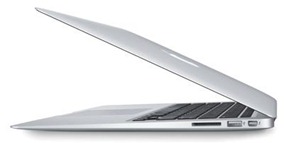
        Apple MacBook Air MC966LL A 13 3 Inch Laptop NEWEST VERSION


        Apple MacBook Air MC966LL-A
        click on image to get the best deal
        Apple MacBook Air MC966LL/A is one of the newest MacBook Air series. It comes with the latest Intel Core i5 dual-core processor, high-speed Thunderbolt I/O, a backlit keyboard, and OS X Lion. This MC966LL/A also comes standard with flash storage. It makes sure that you can have it ready doing what you want in seconds. You won’t need to wait for this laptop to boots up. Apple also claimed that this Air series has a long-lasting battery. It powers MacBook Air for up to 7 hours and offers up to 30 days of standby time. And best of all is that you can have it in a durable thin light unibody design. Definitely, you’ll make your colleagues jealous.
        Apple MacBook Air MC966LL/A quick specifications:
        read the full specification here
        • 13.3-inch LED-backlit glossy widescreen display (1440 x 900-pixel resolution)
        • 7 hours battery life, up to 30 days of standby time
        • 1.7 GHz Intel Core i5 dual-core processor with 3 MB shared L3 cache
        • 256 GB flash memory storage
        • 4 GB installed RAM (1333 MHz DDR3; maximum capacity)
        • Intel HD Graphics 3000 processor (384 MB of DDR3 SDRAM shared)
        • Wireless-N Wi-Fi wireless networking (based on 802.11n specification; 802.11a/b/g compatible)
        • Bluetooth 4.0
        • Two USB 2.0 ports with networking using optional Apple USB Ethernet adapter
        • Thunderbolt port with support for up to 2560 x 1600-pixel resolution (compatible with Mini DisplayPort devices)
        • Dimensions: 12.8 x 8.94 x 0.68 inches (WxDxH)
        • Weight: 2.96 pounds
        Today, you may pre-order it, so that when it is finally released you can get it delivered.
        Pre-order Apple MacBook Air MC966LL/A from Amazon now!

        Buy Acer Aspire 7741G 6426 Big Screen Laptop


        Acer comes with this big enormous yet beautiful laptop. The Acer Aspire 7741G-6426 will fascinate you with its 17.3-inch extra big screen. With its rounded edges and smooth lines you can simply make people take second or even third look on it before they start ask you about it eagerly. Need to type a lot on your laptop? You’ll find its keyboard as an excellent one. The dedicated numeric keypad makes number key-ins quick and streamlining productivity.
        Buy Acer Aspire 7741G-6426 Big screen laptop is made for those who need excellent screen for full HD movies playing, for those who need to have extra space for their detailed works, and also for those who love to have great screen with glamorous view.
        Read about Acer Aspire 7741G-6426 here!

        Take a look at the Acer Aspire 7741G-6426 specification below:

        • Dimensions (WxDxH): 16.3 in x 10.8 in x 1.3 in
        • Weight: 7.3 lbs
        • System Type: Notebook
        • Built-in Devices: Stereo speakers, wireless LAN antenna
        • Processor: Intel Core i5 480M / 2.66 MHz ( Dual-Core )
        • Cache Memory: 3 MB, L3 cache
        • RAM: 4 GB (installed) / 8 GB (max), DDR3 SDRAM ( 2 x 2 GB )
        • Card Reader: 5 in 1
        • Hard Drive: 640 GB, Serial ATA-150, 5400 rpm
        • Optical Storage: DVD±RW (±R DL) / DVD-RAM, integrated
        • Display: 17.3″ LED backlight CineCrystal TFT 1600 x 900 ( WXGA++ ), 16:9
        • Graphics Controller: ATI Mobility Radeon HD 5650
        • Video Memory: 1 GB DDR3 VRAM
        • Audio Output: Sound card
        • Networking: Network adapter, Ethernet, Fast Ethernet, Gigabit Ethernet, IEEE802.11b, IEEE 802.11g, IEEE 802.11n
        • Wireless NIC: Acer InviLink Nplify
        • Notebook Camera: Integrated, 1.3 Megapixel
        • Input Device: Keyboard, touchpad
        • Power: AC 120/230 V ( 50/60 Hz )
        • Battery: 6-cell lithium ion
        • Run Time (Up To): 3 hour(s)
        • Operating System: Microsoft Windows 7 Home Premium 64-bit Edition
        • Microsoft Office Preloaded: Includes a pre-loaded image of select Microsoft Office 2010 suites.
        • Environmental Standards: ENERGY STAR Qualified
        • Manufacturer Warranty: 1 year warranty
        Read about Acer Aspire 7741G-6426 here!
        Isn’t that so tempting?
        Buy Acer Aspire 7741G-6426!!!

        Friday, May 17, 2013

        ASUS G74SX A1 17 3 Inch Gaming Laptop


        ASUS G74SX-A1 Republic of Gamers 17.3-Inch Gaming Laptop
        click image for more info

        Here it comes the ASUS G74SX-A1 17.3-Inch Gaming Laptop. This new laptop is a part of Asus Republic of Gamers laptops line. The good news is that the G74SX-A1 is now available for pre-order. Starts from $1.799.99 via Amazon.
        ASUS G74SX-A1 powered with Intel Core i7-2630QM Processor (2.0 GHz w/ Turbo Boost Technology up to 2.9 GHz), Nvidia GTX 560M Graphics with 3GB GDDR5, (whatta ….!) It’s configured with 12GB DDR3 Memory (Max 16GB) and 1.5TB installed hard drive.
        The ASUS G74SX-A1 laptop comes with a 17.3-inch Full HD display with native resolution screen up to 1920 x 1080. Its other features includes a Combo BluRay Disk Drive, Bluetooth, 2.0MP Webcam, one USB 3.0 port, 3 x USB 2.0, 8-in-1 Card Reader, HDMI, VGA, WiFi 802.11 b/g/n, Gaming Backpack and Gaming Mouse. It comes pre-installed with Windows 7 Home Premium 64-bit.
        read more ASUS G74SX-A1 review here

        ASUS G74SX-A1 Gaming Laptop Features

        Model: G74SX-A1
        Chipset: Intel HM65 Express Chipset
        Processor: Intel Quad Core i7-2630QM (2.0GHz) Processor
        Memory: 12GB DDR3 1333MHz Memory
        Hard Drive: 1.5TB (750GB 7200RPM x 2)
        Display: 17.3″ Full HD (1920×1080) Display
        Graphics: NVIDIA GTX 560M 3GB GDDR5
        Webcam: 2.0MP Webcam
        Battery: 8-cell battery
        Operating system: Windows 7 Home Premium (64-bit)
        Measures:  16.5 x 12.8 x 2.4  inches
        Weight : 9.4 pounds
        read ASUS G74SX-A1 full specification
        Get a price ASUS G74SX-A1 17.3-Inch Gaming Laptop at Amazon.